
Online gaming depends on stable connections, low latency, and reliable network routing for enjoyable multiplayer experiences. According to recent industry reports, more than 3 billion people play games worldwide, while over 40% regularly enjoy online multiplayer titles. Many players also explore creative communities featuring melodie character illustrations alongside their favorite games. If VPN errors interrupt your sessions, practical troubleshooting steps can quickly restore smooth gameplay without unnecessary frustration.
Why VPN Errors Happen During Gaming
Gaming traffic requires consistent communication between your device and remote servers every second. However, VPN encryption sometimes creates conflicts with routing, authentication, or regional server policies. Learning about gaming phone performance also helps identify whether hardware limitations contribute to connection problems.
Many VPN issues appear because overloaded servers increase latency beyond acceptable gaming limits. Meanwhile, outdated applications may also create compatibility problems with newer multiplayer platforms.
Some internet providers use advanced traffic management during busy periods. Consequently, encrypted VPN connections occasionally trigger unexpected packet loss or unstable performance.
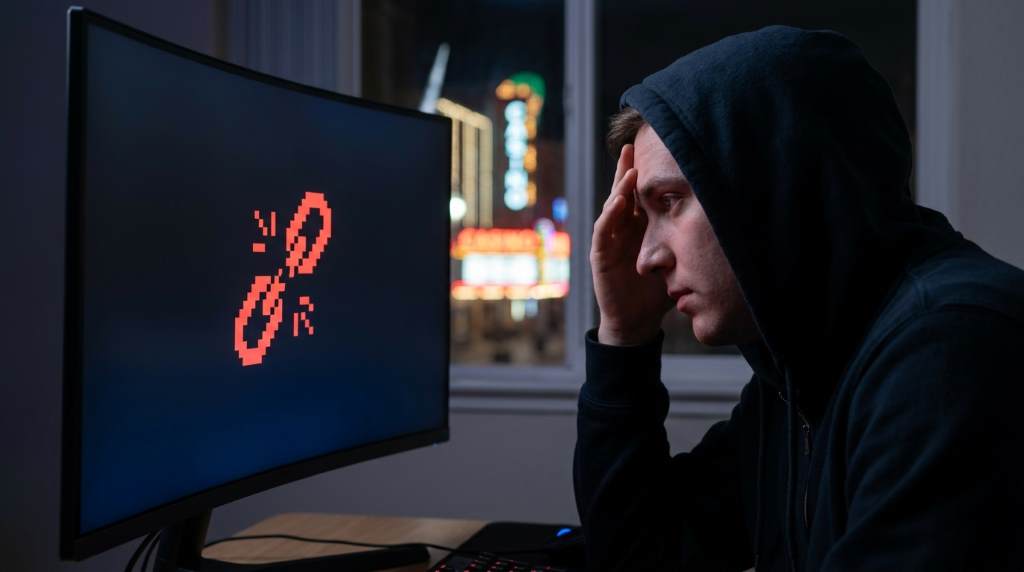
Identify the Exact VPN Error Before Fixing It
Every VPN error points toward a different underlying cause. Therefore, identifying the exact message saves time and prevents unnecessary troubleshooting.
- Authentication failed
- Server unavailable
- Connection timeout
- DNS resolution failed
- Network unreachable
- High latency detected
Write down the displayed error before changing settings. Afterwards, compare that information with your VPN application’s official documentation.
Use the Nearest VPN Server Available
Selecting nearby VPN servers usually reduces travel distance for network packets. As a result, your connection often becomes faster and considerably more stable. Understanding mechanical keyboard gaming accessories also reminds players that overall performance depends on both network quality and gaming equipment.
Avoid connecting through distant international servers unless a game specifically requires another region. Instead, test several nearby locations before choosing the fastest option.
Many premium VPN providers display real time server loads inside their applications. Therefore, selecting lightly loaded servers often improves gaming performance immediately.
Switch VPN Protocols for Better Stability
Different VPN protocols perform differently across various gaming environments. Fortunately, changing protocols usually requires only a few clicks.
- WireGuard offers excellent speed and efficiency.
- OpenVPN provides strong compatibility across many devices.
- IKEv2 reconnects quickly after temporary network interruptions.
Test each available protocol while monitoring latency inside your favorite multiplayer games. Additionally, restart both the VPN application and your game after switching protocols. Reading about gaming mouse matters highlights how every performance improvement combines for smoother competitive play.
Disable Conflicting Security Software Temporarily
Firewalls and antivirus programs occasionally block encrypted VPN traffic without displaying obvious warnings. Therefore, temporarily disabling them helps identify hidden conflicts.
Remember to reactivate every security application immediately after testing finishes successfully. Never leave protective software disabled during normal computer use.
Clear DNS Cache and Refresh Network Settings
Old DNS records sometimes direct your device toward unavailable gaming servers. Consequently, clearing cached information often restores proper connectivity.
Restart your router after clearing the DNS cache for additional improvements. Likewise, reconnect the VPN after your internet connection becomes fully available.
Update Your VPN Client and Gaming Software
Software developers regularly release compatibility improvements for modern operating systems and multiplayer services. Keeping everything updated reduces unexpected connection failures significantly.
Enable automatic updates whenever possible because security improvements arrive frequently. Furthermore, updated applications usually include networking optimizations that improve stability.
Check Router Configuration
Home routers occasionally block gaming ports required by multiplayer services. Therefore, reviewing router settings may solve persistent VPN connection errors.
Enable Universal Plug and Play if your router supports that feature safely. Otherwise, consult your VPN provider before manually opening specific ports.
Reduce Network Congestion During Gaming
Multiple streaming devices can consume significant bandwidth while you play online games. Consequently, gaming traffic receives fewer available network resources.
Pause large downloads before launching multiplayer titles whenever possible. Similarly, ask household members to limit high bandwidth activities during competitive matches.
Use a Wired Connection Instead of Wireless
Wireless interference often creates unstable latency spikes that resemble VPN problems. Connecting through Ethernet produces a steadier gaming experience.
Even short Ethernet cables deliver noticeable improvements over crowded wireless networks. Therefore, competitive players frequently prefer wired connections for consistent performance.
Contact VPN Support with Diagnostic Information
If every troubleshooting step fails, contact your VPN provider with detailed connection information. Include screenshots, error messages, server locations, and device specifications.
Support teams diagnose problems much faster when complete information accompanies every request. As a result, you receive more accurate recommendations without repeated troubleshooting.
Best Practices to Prevent Future VPN Gaming Errors
- Keep VPN software updated regularly.
- Select nearby servers whenever possible.
- Restart networking equipment every few weeks.
- Use reliable Ethernet connections for competitive gaming.
- Avoid overloaded VPN servers during peak hours.
- Test new VPN settings before important gaming sessions.
Conclusion
VPN errors can interrupt enjoyable gaming sessions, yet most problems have straightforward solutions with careful troubleshooting. By selecting better servers, updating software, testing protocols, and optimizing your network, you can restore stable gameplay quickly.
Apply these practical techniques one step at a time until your connection improves. Then bookmark this guide and share it with fellow gamers who experience similar VPN issues.
Frequently Asked Questions
Why does my VPN disconnect while gaming?
Server overload, unstable internet connections, or incompatible VPN settings commonly cause unexpected disconnections.
Which VPN protocol works best for gaming?
WireGuard usually provides the best balance between speed, stability, and low latency.
Can a VPN reduce gaming lag?
Yes, a quality VPN may reduce lag when it selects more efficient network routes.
Should I use WiFi or Ethernet for VPN gaming?
Ethernet provides more stable performance and fewer interruptions than wireless connections.
Can outdated VPN software cause gaming errors?
Yes, outdated applications frequently create compatibility issues with modern multiplayer services.